IIHE Wifi: Difference between revisions
From IIHE Wiki
Jump to navigationJump to search
| Line 16: | Line 16: | ||
[[File:img2.png]] | [[File:img2.png]] | ||
[[File:img3.png]] | |||
[[File:img4.png]] | |||
[[File:img5.png]] | |||
== Mac OS X == | == Mac OS X == | ||
Revision as of 09:53, 5 March 2014
WLAN
Windows
Linux
step 1:
    certificate download
    Click here to doawnload your certificate
step 2:
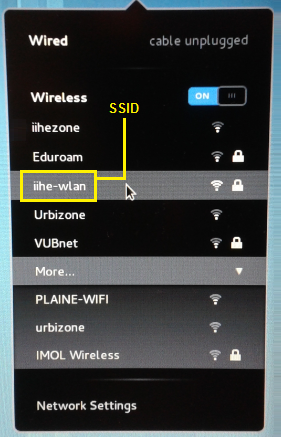
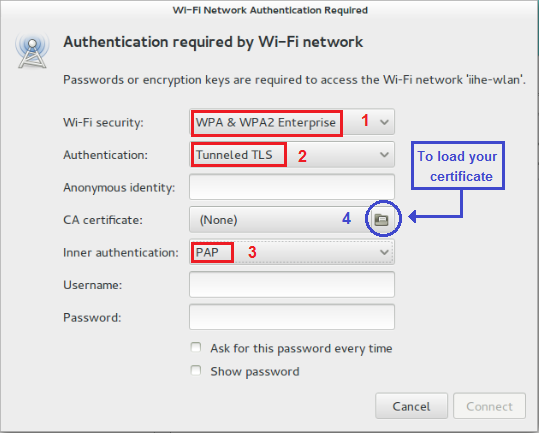
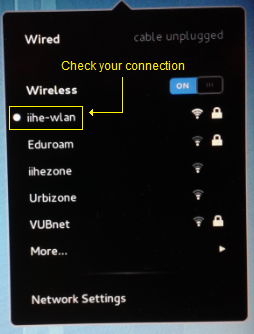
File:Img4.png


Mac OS X
If you didn't receive the file iihe-wlan.mobileconfig by mail, open a terminal and download it :
curl -o iihe-wlan.mobileconfig http://iihe.ac.be/files/iihe-wlan.mobileconfig
Go to your Downloads folder and double-click on iihe-wlan.mobileconfig, and follow these steps :


